
Telegram Storage
Pixtale uses the Telegram Bot API to store photos in a channel. Each image can be up to 20 MB, with no limit on total storage. The upload API is rate-limited, so uploading too quickly can result in a 429 error.
Configure Storage
1. Create a Bot
- Find and start @BotFather in Telegram.
- Send
/newbotto create a bot and obtain its Bot Token.
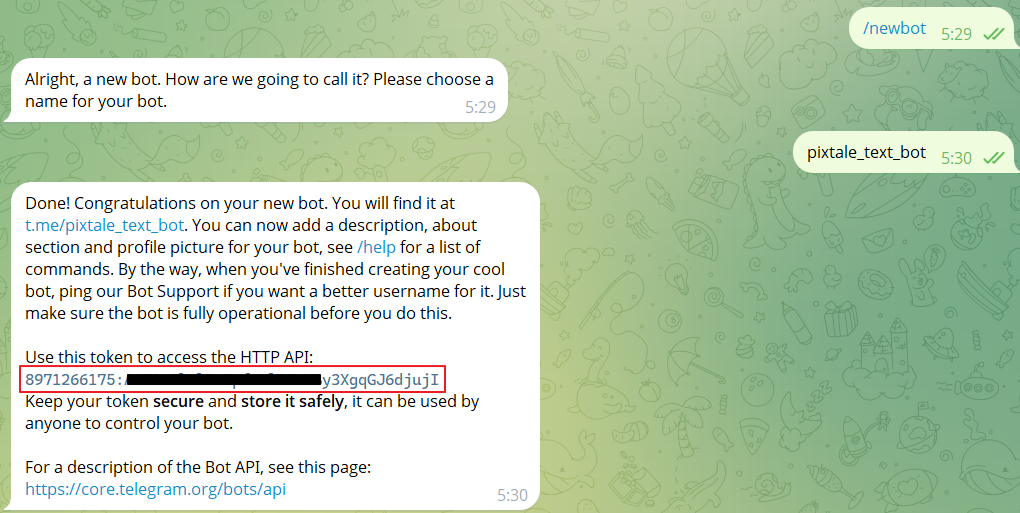
2. Create a Channel
- Create a channel and add your bot.
- Make the bot a channel administrator and grant it the required permissions.
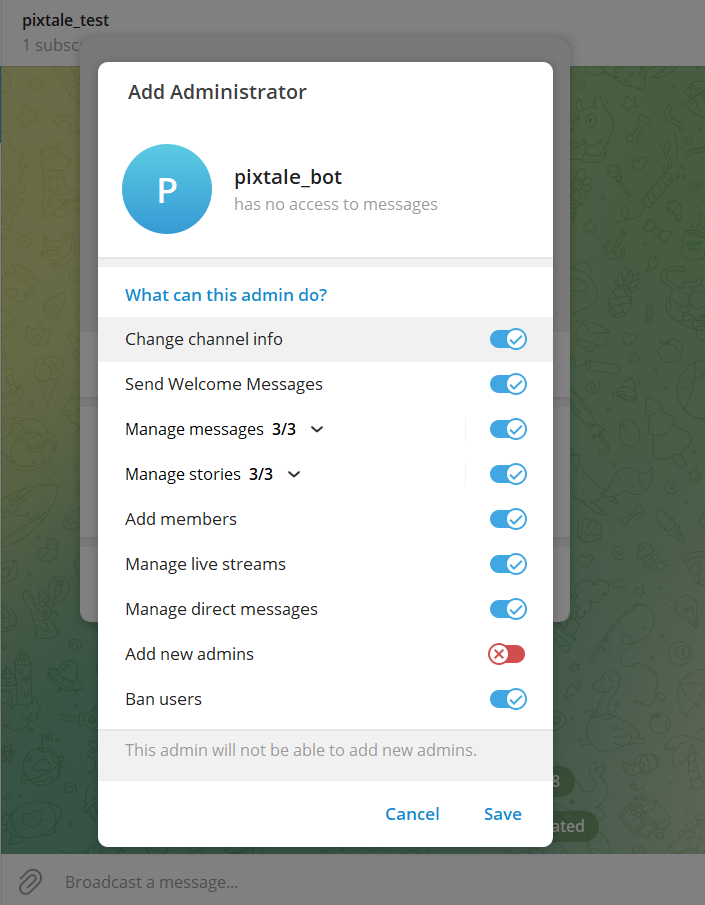
3. Get the Channel Chat ID
- Find and start @VersaToolsBot in Telegram.
- Send a message in your channel.
- Forward that message to the bot to obtain the channel ID.
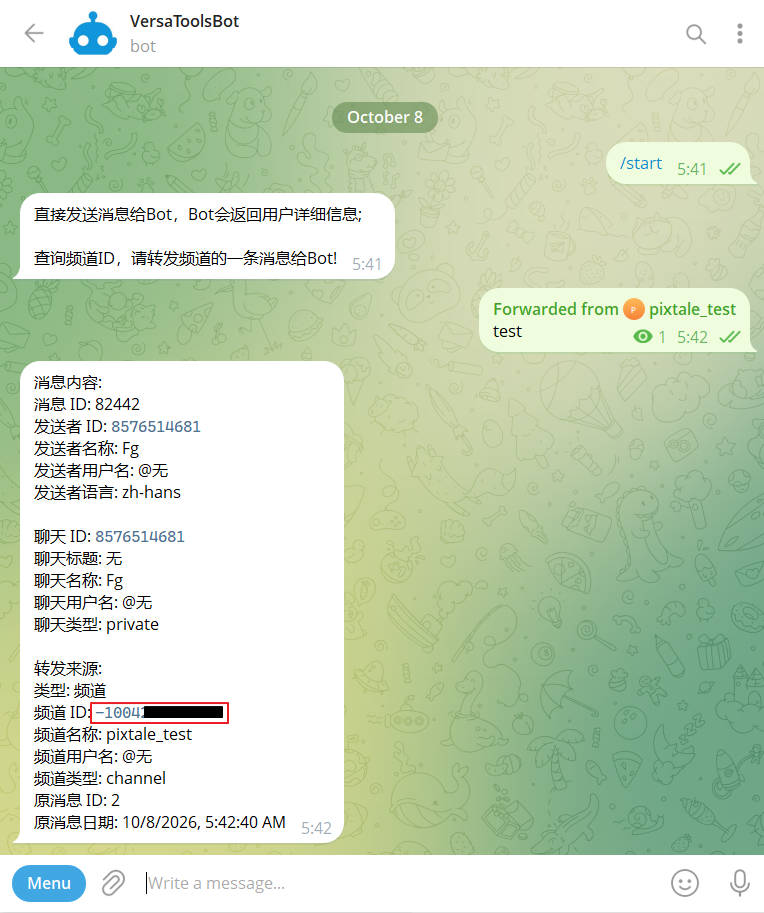
4. Add Storage
- Open the
/storagepage in Pixtale, add Telegram storage, and enter your channel ID incha_idand your Bot Token intoken.